
Over the years, I’ve worked with many churches on venue hire, and the same thing comes up again and again. Most teams feel their booking arrangements work fine, and by the measure most of us use, they do. The diary lives in a spreadsheet or a shared Google or Outlook calendar, enquiries come into someone’s inbox, bookings get confirmed, and events happen (usually that’s thanks to an administrator or volunteer doing a remarkable job with lots on their plate!)
What can be harder to see are all the opportunities this way of operating can cost you. There’s the enquiry that got one reply and then nothing more, and the family who would have recommended you to their friends if booking had felt a little easier. There’s also the annual event that drifted to another venue because nobody got in touch to ask about next year. None of it shows up in the diary, but it’s often where a church’s next stage of growth is waiting.
How your current system could be costing you income
What makes this so hard to account for is that it never feels like lost income. It’s money you never had, so there’s nothing on the books to miss. Often it’s only after a church puts better systems in place, and starts to see bookings and revenue grow year on year, that it becomes visible how much was slipping through the gaps.
In my experience, it usually sits in three places:
- Enquiries that are never followed up. When someone asks about a date, gets a reply and then hears nothing more, it’s often because there simply wasn’t time or a reminder to chase it. Meanwhile, another venue with a more structured process keeps in touch, answers their questions and makes the next step easy. People tend to favour whoever makes their life easiest, even when your space was the one they loved first.
- Regular and annual hirers who are never invited back. Very few of the churches I work with have a rebooking process. A message at the same time each year, asking whether the summer fair or annual dinner is going ahead again, perhaps with a time-limited incentive to rebook, can keep those bookings returning year after year.
- Service that could support a better price. The smoother a booking runs, the more a hirer values it and the more they’re willing to pay, and that depends on having well-supported administration.
Each of these is small on its own. However, together they often add up to far more than the software would cost, and a system that supports your team well is usually much cheaper than paying for extra staff hours.
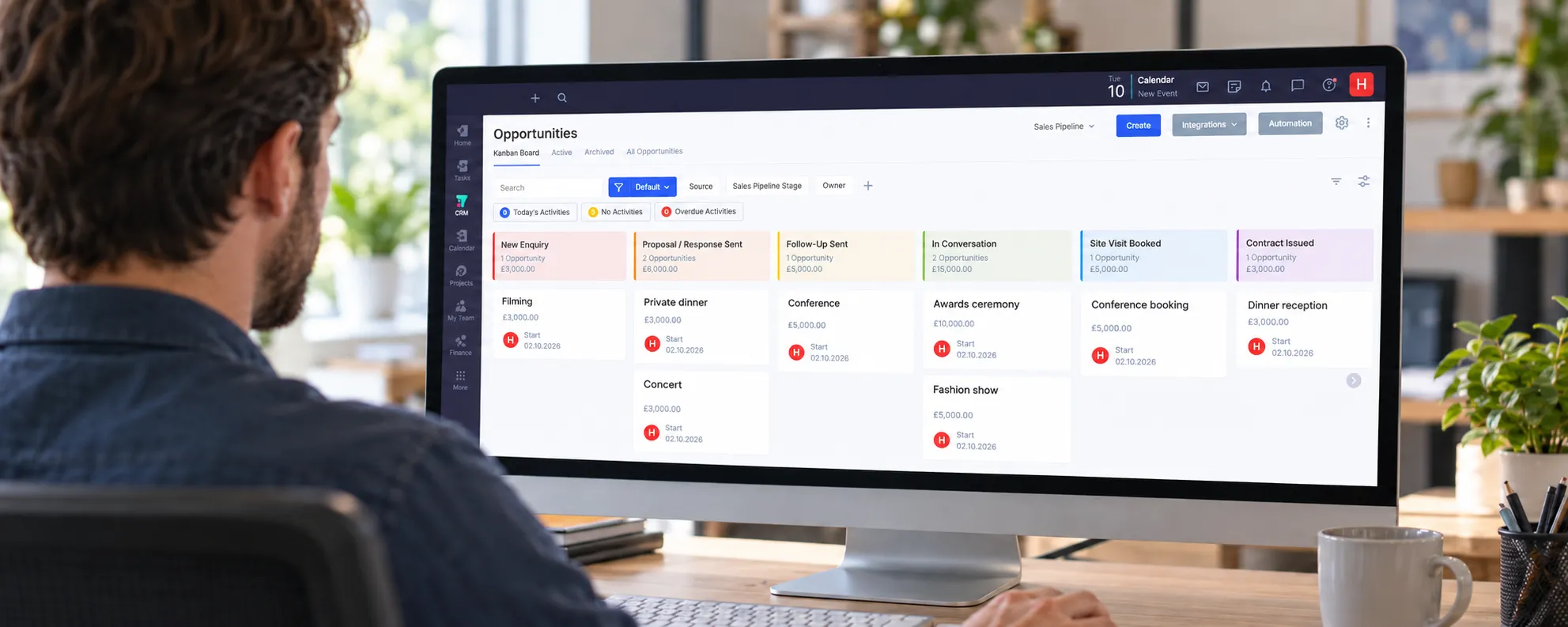
We regularly put booking systems in place as part of our work, because we’ve seen how much difference they make. CAS Halls is a good example. Every enquiry used to be tracked by hand across four separate systems. Moving to Lemon Booking put a live availability calendar on their website and sent booking forms straight into the system, with terms, invoicing and payments all in one place. The team now has booking reports showing how the venue is performing. St Cyprian’s had a similar experience with Flowlu. Everything the team needs to do appears on their dashboard when they need to do it, so nothing relies on someone remembering. They have a visual way of seeing where every booking is up to, and reports that show how their hire is performing. Together, these have made a real difference to how they manage their venue.
Booking systems and client management systems
Before comparing software, it helps to know which kind of tool you need. A booking system helps people who already know they want to book to do it quickly: they check availability, see a price and send a request without waiting for you. This suits halls and community spaces with lots of regular, lower-value bookings.
A client management system, or CRM, is built for longer decisions. For a larger or higher-value venue, an organiser may be comparing ten venues and won’t be ready to fill in a detailed booking form. What wins that booking is how well you follow up, and a CRM tracks every enquiry through to a decision.
Five systems I’ve used or tested
There are many good systems available, each with its own merits. These are the ones I know best through my own work and client projects.
| System | Type | Best for | Cost |
|---|---|---|---|
| ChurchSuite | Booking | Churches already using ChurchSuite | £ |
| Lemon Booking | Booking | Churches and halls with affordable, regular bookings | £ |
| Flowlu | CRM and projects | Venues growing through better follow-up | £ |
| Event Temple | Venue CRM | Commercial, sales-led venues | £££ |
| iVvy | Venue CRM and events | Large venues with complex events | £££ |
£ under about £600 a year* · ££ about £600–£2,000 a year · £££ £2,000 a year or more.
*At the smallest size, many of these are available for around £200 a year or less. Several prices depend on your size, users or rooms, so check each provider’s pricing page.
Many churches already use ChurchSuite for their administration. If you log in every day anyway, having venue bookings in the same dashboard makes life much easier, and the team doesn’t have to learn a new system. Each booking moves through stages with checklists, and hirers get their own booking page where they can see their details and pay.
- Works well: sits alongside your wider church admin; you can create checklists for each stage of a booking; customer booking pages with online payment through Stripe, as well as recording bank transfers and cash; an availability calendar you can embed on your website; room and equipment allocation; reports on bookings, charges and room usage
- Consider: no enquiry pipeline or sales tracking; charges are sent as payment requests, with no downloadable invoice; integrations outside ChurchSuite are limited
- Cost: £, based on your number of contacts and modules
Lemon Booking has everything you need to manage day-to-day bookings, and it’s especially good for spaces with lots of regular, hourly hire. Hirers can check availability and get an instant price by selecting the hours they want, which saves your team time and filters out enquiries that don’t match your rates.
- Works well: live availability calendar for any website; instant pricing; booking requests checked automatically for clashes; repeat bookings for regular groups; invoicing, deposits and online payments; links with accounting software such as Xero and QuickBooks; a reporting dashboard showing occupancy and revenue for each room; a built-in website editor and event ticketing
- Consider: no enquiry management, so it’s harder to nurture larger one-off bookings; the booking form asks for a lot of detail up front, which can put off people who are still exploring; online payments need the Silver plan or above
- Cost: £, depending on your plan and number of rooms
Flowlu’s CRM pipeline is what sets it apart from the booking systems above, because the way you handle enquiries is a major part of what drives growth. With project templates for events, it manages each booking from first enquiry to event day and can automatically set up tasks and due dates at different stages of the booking to help you keep on top of everything.
- Works well: visual enquiry pipeline with enquiry forms for your website; event project templates so nothing is missed; invoices and estimates; contracts created from your own templates and filled in automatically; dashboards and reports on enquiries and finances; useful for wider church admin too
- Consider: it isn’t built specifically for venue hire, so it needs careful setup to work well, which is something we do as part of our work; automations and the client portal need the Advanced plan; there’s a free plan for up to two users, but I recommend a paid plan so your data is secure
- Cost: £, priced per user
Event Temple is one of the most polished sales and events systems I’ve seen. It brings the whole journey into one place, from the first enquiry through proposals, contracts and payment to the event itself, and it’s known for being easy to use, so teams tend to get up and running quickly. Its strength is sales. Every enquiry is captured and tracked through a visual pipeline, with automated follow-ups that keep conversations moving, which for a venue that relies on larger bookings can make a real difference to how many enquiries turn into confirmed events.
- Works well: drag-and-drop sales pipeline fed by your website enquiry forms; automated follow-ups and workflows; branded proposals and contracts signed online; deposits, invoices and online payments within each booking; an online booking portal where clients can book and pay for space; an event diary for spotting clashes; strong dashboards and reporting; links with tools such as Stripe, Zapier, Google and Microsoft
- Consider: it’s designed mainly for hotels and commercial venues, so it offers more than most church halls need; the calendar view is more limited than some; it’s an annual contract priced in US dollars, and setup fees may apply
- Cost: £££, by quote and based on the size of your business
What stands out about iVvy is that everything is there. It covers the whole life of an event, from first enquiry to final invoice, with a level of automation that could save a busy venue a huge amount of time.
- Works well: strong CRM with automated follow-ups; proposals and contracts generated automatically, with e-signatures; invoicing and deposits; event orders to brief staff on the day; a built-in floorplan designer; task automation; 24/7 support; links with payment and accounting tools
- Consider: its depth means more to learn and set up; usually the most expensive option here; best suited to larger venues with complex events
- Cost: £££, by quote and based on venue size and users, with non-profit pricing available
Choosing what fits
- Match the system to your hire. Regular local bookings call for a booking system, while higher-value one-off events need help with follow-up.
- Decide who will own it, and make sure more than one person can use it.
- Check how it fits your church diary and the systems you already use.
- Test it with real bookings during a free trial.
- Budget for setup and training time as well as the subscription.
A system earns its cost when it’s set up well and the team uses it every day. If you’d like help working out which system fits your church and whether it’s worth the investment, I’d be glad to talk it through.
Information correct as of November 2026. Features and prices change, so please check current details with each provider. I have no referral or commercial relationship with any of the systems mentioned.